Customizing the Kaplan-Meier Survival Plot
Changing the Line Thickness
Begin by including the macros that you copied in the section The Modularized Templates.
The following steps modify the line thickness for the step functions in the survival plot:
%ProvideSurvivalMacros

%let StepOpts = lineattrs=(thickness=2.5);

%CompileSurvivalTemplates

proc lifetest data=sashelp.BMT plots=survival(cb=hw test);
   time T * Status(0);
   strata Group;
run;
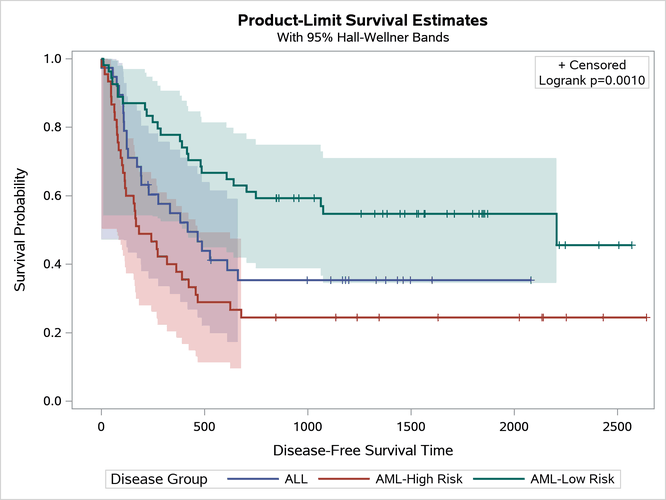
The results are displayed in Figure 23.
Figure 23: Changing Line Thickness
By default, the StepOpts macro variable is null.
Last updated: December 09, 2022