Using the Output Delivery System
The SAS Results Window
The SAS Results window contains a running record of the output from your SAS session. In the SAS windowing environment, select  to open the Results window. Figure 5 displays the Results window from the PROC REG step shown previously.
Figure 5: The Results Window from the SAS Explorer
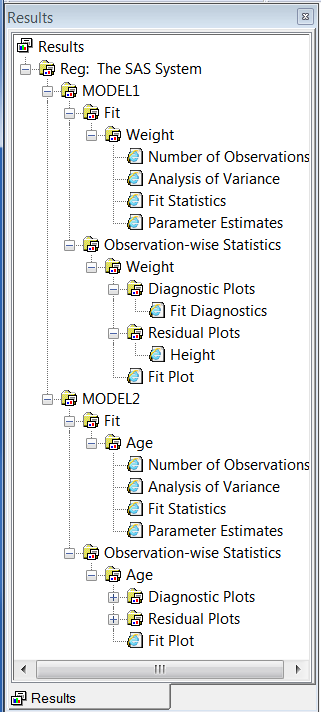
When you click the output names in the Results window, you link directly to the output in the Output Results window (for the HTML destination) or the Output window or graph viewer window (for the LISTING destination). The Results window contains an entry for each level of the label path and for each object. You can also use the Results window to determine the names of the templates that are associated with each object. Right-click the name and select . You can see all the templates from the Results window by selecting . For SAS/STAT, select . Then select a procedure such as and a template such as .