Statistical Graphics Using ODS
The SGSCATTER Procedure
You can use the SGSCATTER procedure to produce scatter plot matrices. The following step creates a scatter plot matrix from all the numeric variables in the Class data set (available in the Sashelp library) and produces Figure 73:
proc sgscatter data=sashelp.class;
   matrix _numeric_ / diagonal=(kernel histogram);
run;
The diagonal cells of Figure 73 contain a histogram and a kernel density fit. The off-diagonal cells contain all pairs of scatter plots.
Figure 73: Scatter Plot Matrix with PROC SGSCATTER
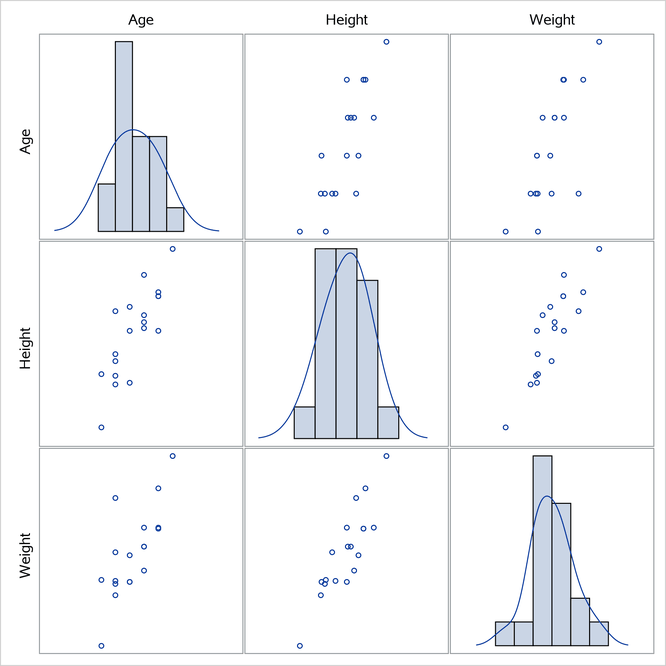
The MATRIX statement creates a symmetric  scatter plot matrix. Other statements are also available. The PLOT statement creates a panel that contains one or more individual scatter plots. The COMPARE statement creates a rectangular
  scatter plot matrix. Linear and nonlinear fits can be added, and you can request many graphical features by specifying options.