The SURVEYFREQ Procedure
Definitions and Notation
For a stratified clustered sample design, define the following:
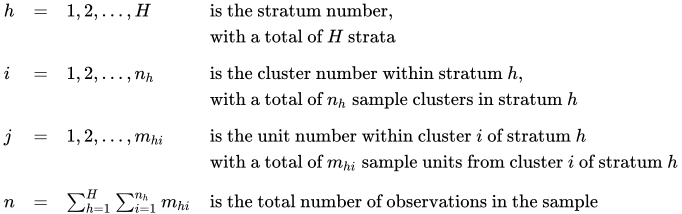
and

The sampling rate  , which is used in Taylor series and bootstrap variance estimation, is the fraction of first-stage units (PSUs) selected for the sample. You can specify the stratum sampling rates in the RATE= option. Or you can specify the stratum population totals in the TOTAL= option, and PROC SURVEYFREQ computes the as the ratio of stratum sample sizes (PSUs) to stratum totals. For more information, see the section Population Totals and Sampling Rates. If you do not specify the RATE= option or TOTAL= option, the procedure assumes that the stratum sampling rates are negligible and does not use a finite population correction in variance computation.
This notation is also applicable to other sample designs. For example, for a design without stratification, you can let H = 1; for a sample design without clustering, you can let  for every h and i, which replaces clusters with individual sampling units.
For a two-way table representing the crosstabulation of two variables, define the following, where there are R levels of the row variable and C levels of the column variable:
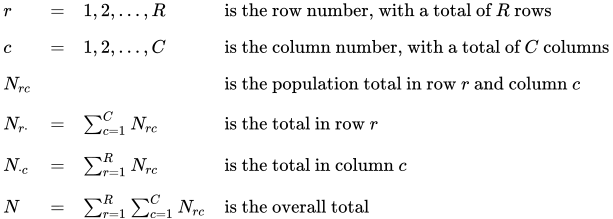
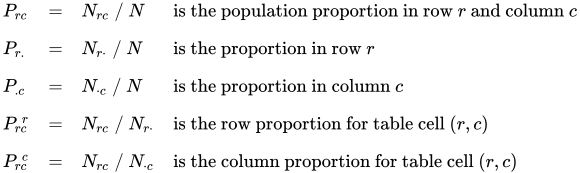
For a specified observation (identified by stratum, cluster, and unit number within the cluster), define the following to indicate whether or not that observation belongs to cell (r, c), row r and column c, of the two-way table, for  and
and  :
:

Similarly, define the following functions to indicate the observation’s row and column classification:

